Theme
The whole outfit: menu position, sidebar and header colors, page background, typeface, corner radius, a UI kit and a matching login design. 27 to choose from, every one editable.
Now showing Citrus Steam. Your choice is remembered on this device only.
Search every page, guide and blog post. Try no-show, Airbnbor reviews.
One theme changes all of GoHighLevel at once: sidebar, header, cards, buttons, tables and the login page. Pick one of 27 in your customizer account, tune it to your logo and colors, and one line puts it on every sub-account.
A GoHighLevel theme is a full visual style for the whole app, applied by one line of code from the customizer instead of pasted CSS. Each of the 27 themes sets layout (left sidebar, right dock or top bar), colors, type and a UI kit, and dark mode is included. You choose and tune it yourself in a live editor.
Start with the eight we suggest for cleaning brands, or open all 27. Swap the UI kit to see cards, buttons and tables change together.
Loading the live preview…
Ocean Glass The real customizer engine restyling a sample GoHighLevel dashboard. The sidebar, the collapse button and the Save contact modal all respond, so click around.
Ocean Glass sits frosted cards over a calm photo with the menu docked right. Desert Sand moves the menu to a top bar, which suits offices on wide screens. Golden Hour is warm and soft with a matching sunrise login.
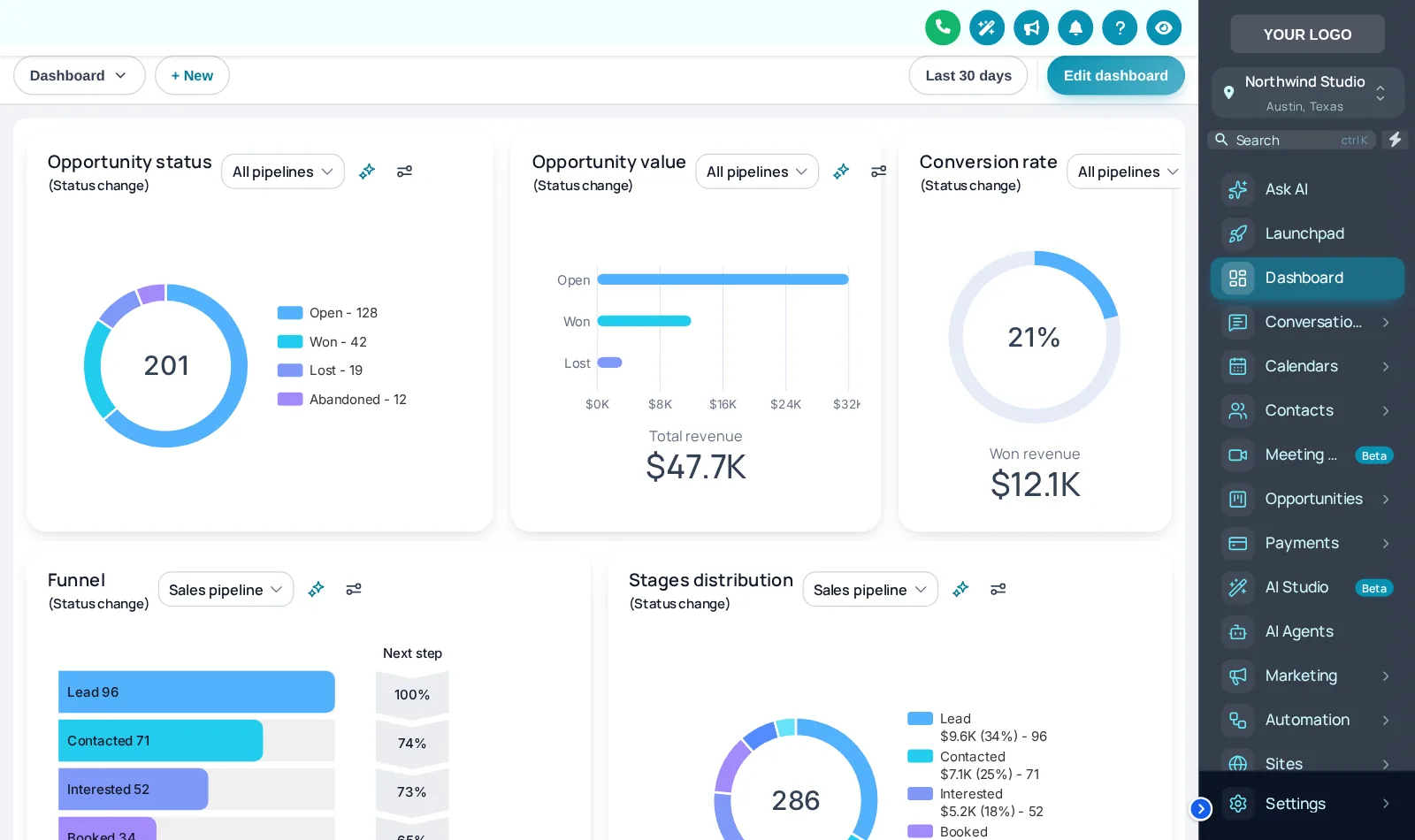
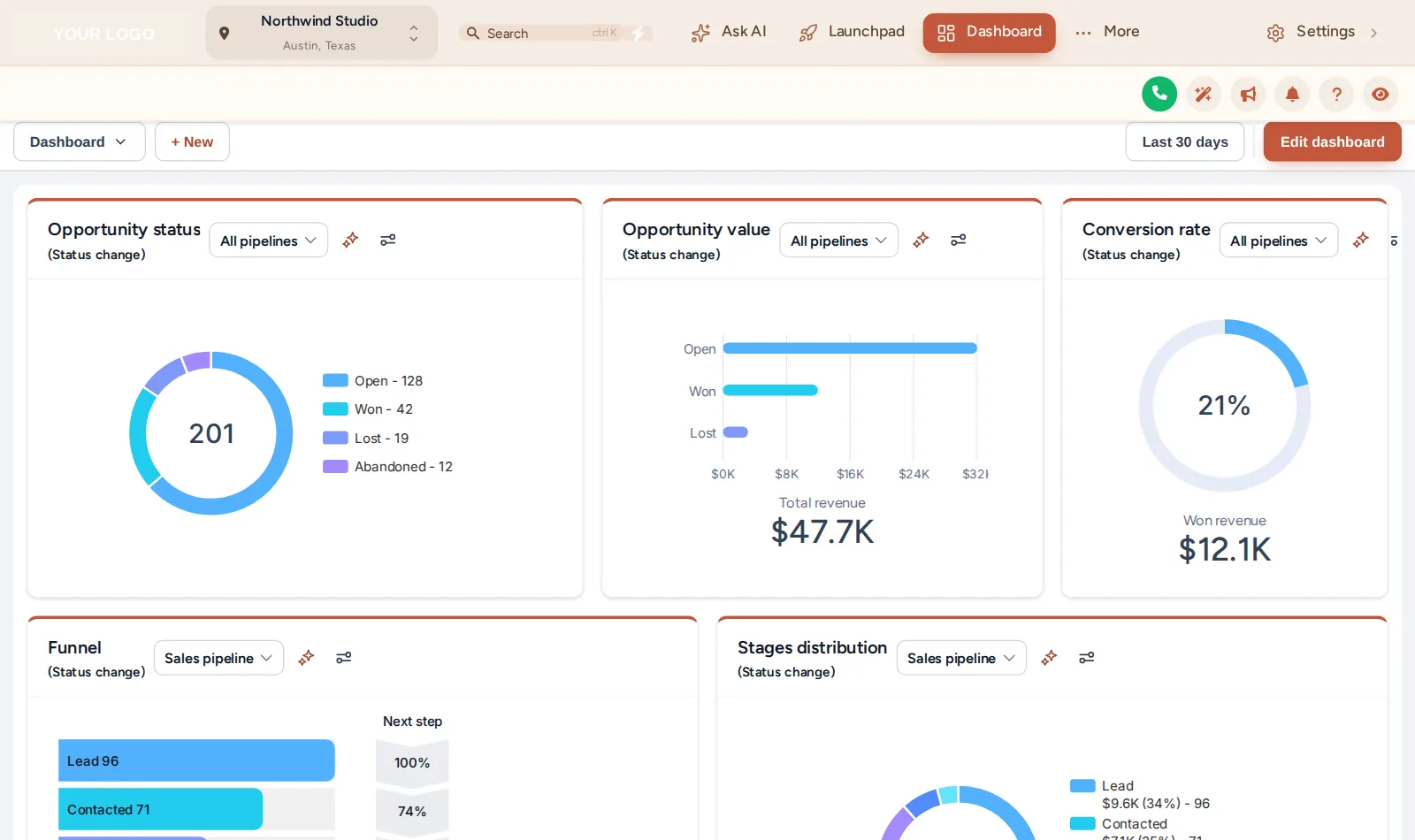
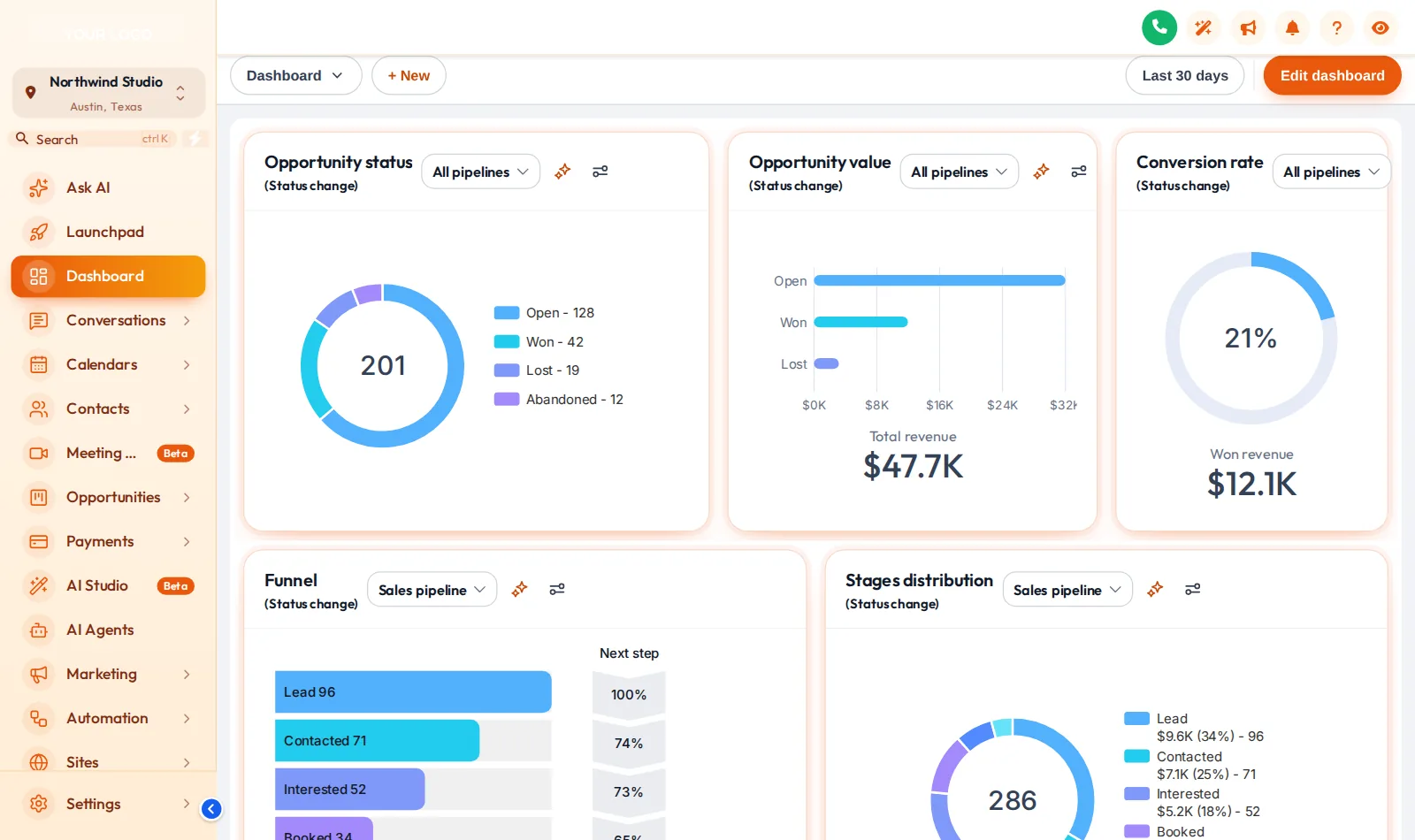
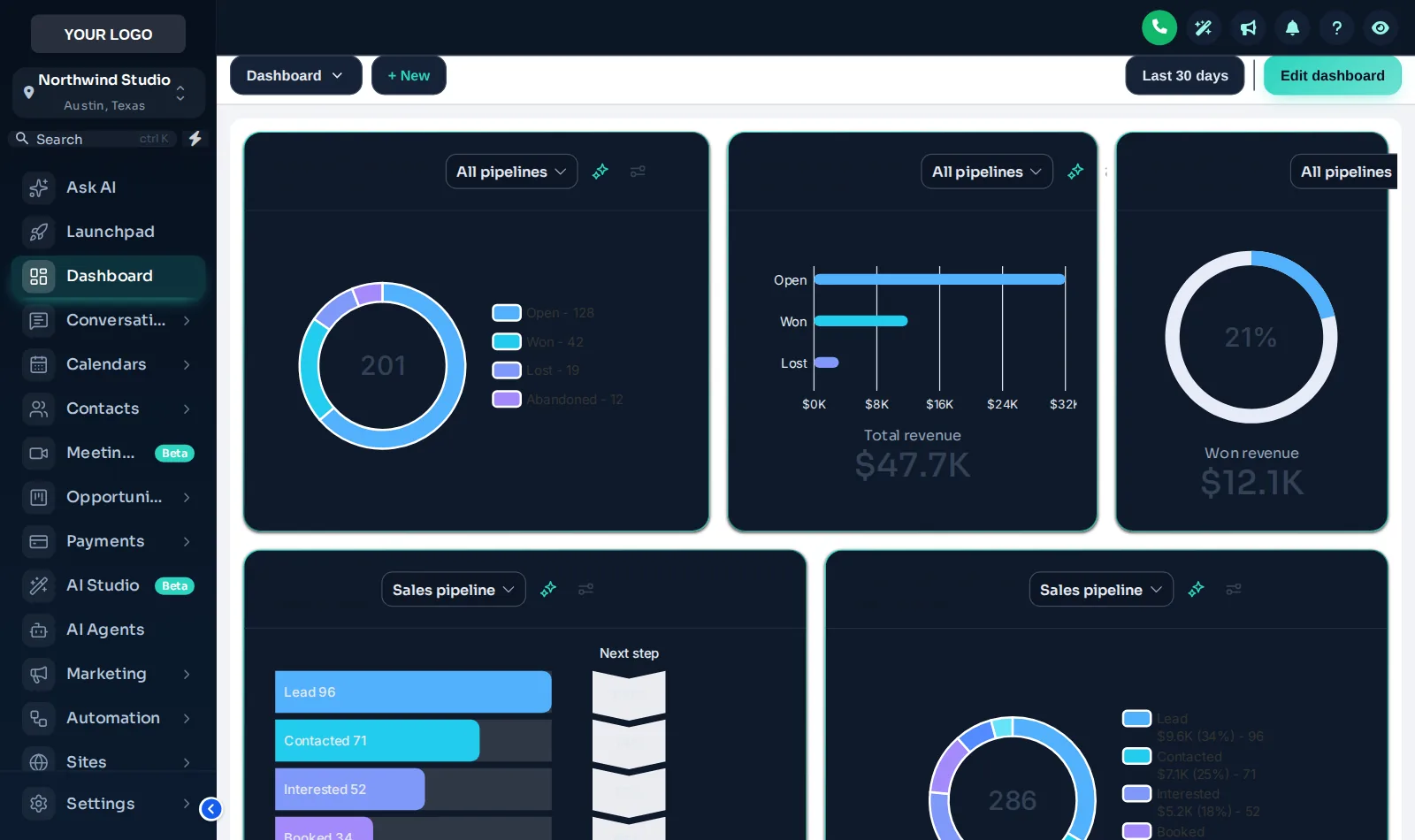
The whole outfit: menu position, sidebar and header colors, page background, typeface, corner radius, a UI kit and a matching login design. 27 to choose from, every one editable.
The finish on the small parts: how cards cast shadows, how buttons and inputs are shaped, how tables and modals look. 11 kits, including Soft Shadow, Bordered Flat, Elevated, Glass and more.
3 themes are dark from top to bottom, including the surfaces GoHighLevel normally leaves white. Easier on the eyes for evening scheduling, and included from Fresh Coat.
A CRM in your colors with your logo feels like part of the company, not one more app to learn. Training the next office hire starts from familiar ground.
Higher-contrast themes and calmer UI kits make the schedule easier to read between rooms, in bright kitchens or dim stairwells.
Cleaning clients log in to your brand. A theme in your brand colors removes the tell-tale stock look that makes white-label feel thin.
Choose a package and pay by card. Your login is emailed within minutes, at most 24 hours.
Log in, try themes in the live editor and settle on one that fits your brand.
Set your logo, brand colors, font and UI kit, and preview the agency view and a sub-account.
Add the line to Custom JS in agency White Label settings, once. Every later save goes live by itself.
All 27 themes, 11 UI kits and dark mode are in every account.
An account that puts your brand on the two screens everyone sees first: the whole app and the sign-in page.
Everything in Fresh Coat, plus the tools for the rooms your team works in all day: menus, the dashboard, the job pipeline and one-tap contact actions.
The whole house, top to bottom: every module, the website widgets, and an editor that carries your own brand.
About themes, UI kits, dark mode and how they go live.
A GoHighLevel theme is a complete visual style for the app: sidebar, header, page background, cards, buttons, tables, fonts, corner radius and a matching login page. Your customizer account has all 27 of them, and you tune the one you pick to your logo and brand colors in the live editor.
It is built from custom CSS and a small script, but you never touch either. Instead of pasting dozens of snippets into agency settings, one line applies the whole theme, and changing it later is a click in the customizer rather than a code hunt.
27 complete themes, 3 of them dark. 21 use a left sidebar, 1 a right dock and 5 a top bar, so the layout changes with the colors.
A UI kit restyles the small parts all at once: cards, buttons, inputs, tables, tabs and modals. There are 11, from Soft Shadow and Bordered Flat to Glass and Brutalist. Every theme comes with one, and you can swap it in the editor to match your brand.
Yes, through the customizer. Dark themes such as Midnight Mint and Obsidian OLED restyle the whole app, including surfaces GoHighLevel normally keeps white. Dark mode is included in every package, from Fresh Coat up.
Yes. Set your logo and brand colors in the editor and the theme follows them across the agency view and every sub-account. Preview the result before you save.
Light, airy themes read as clean and calm, which is why the preview leads with Ocean Glass, Desert Sand and Golden Hour. If your brand is navy and orange, a dark sidebar theme in your colors works well too. Try a few in the editor; switching is instant.
Yes. The line sits in agency settings, so the agency view and every sub-account pick up the theme on their next page load. Later changes you save in the editor go live without re-installing.
Not by accident. The look is controlled from agency settings and your customizer account. If you ever want stock GoHighLevel back, removing the line restores it, and version history lets you roll back to an earlier save.
Every package. All 27 themes, 11 UI kits, dark mode, logo and brand colors are part of Fresh Coat at $179, and both larger packages include them too.
Every module lives in the same customizer account and goes live through the same one-line install, so these pair naturally. Or go back to the GHL Customizer overview or straight to package pricing.
Every theme, UI kit, dark mode and login design in your own account for $179 once. Login in minutes.
GoHighLevel and HighLevel are trademarks of HighLevel Inc. Cleaning Services GHL Snapshot is independent and is not affiliated with, endorsed by or sponsored by HighLevel. The customizer platform your account runs on is provided by GHL Customer Care.
Manage how we use cookies. Necessary cookies keep the site working and can't be turned off.
Saved on this device. Press Esc to close.