
To automate social media comment replies for a Chicago cleaning business, you map the questions you actually get, write a short reply library in your brand voice, set rules for what an AI comment agent answers versus what a human handles, connect that agent to your TikTok, Instagram, and Facebook accounts, and route every buying-intent comment into a DM that books the clean. Done right, it does two jobs at once: it feeds the algorithm the fast engagement it rewards with more local reach, and it stops “how much for a 3-bed deep clean?” from sitting unanswered under your best-performing post while a competitor replies first.
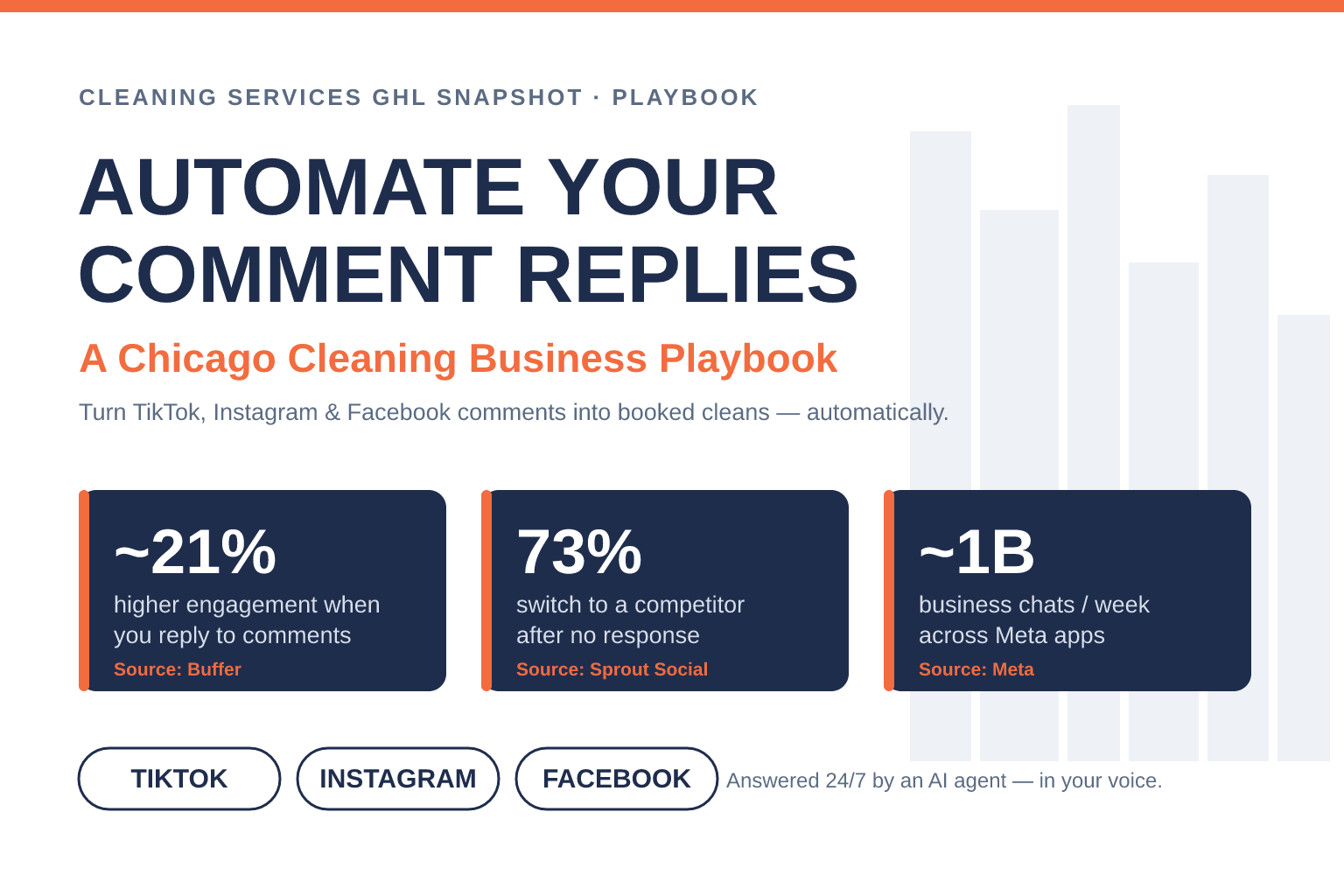
This is written for cleaning operators across Chicagoland — the city plus Naperville, Aurora, Schaumburg, Evanston, Oak Park, and the surrounding suburbs — who are already posting before/after reels and getting comments, but aren’t turning that engagement into booked jobs. Every number below is sourced; nothing is invented. Let’s start with why those comments matter more than most owners think.
Key Takeaways
- Replies are reach. Buffer’s analysis found profiles that reply to their Instagram comments saw roughly 21% higher engagement, with performance improving for about 63% of profiles studied (Buffer, 2023). Fast comment activity is exactly the signal the ranking systems use to push a post to more local homeowners (Hootsuite, 2025).
- Silence has a price. 73% of consumers will switch to a competitor when a brand doesn’t respond, and 76% expect a reply within 24 hours on social (Sprout Social, 2023–2024). Under a cleaning post, an ignored question is a booking handed to whoever answered.
- Speed compounds the value. Firms that reply within the first hour are 7× more likely to have a meaningful sales conversation than those who wait (Harvard Business Review, 2011); reply in 5 minutes instead of 30 and you’re 21× more likely to qualify the lead (MIT / Lead Response Management, 2007).
- Chicago is a big, fragmented market. The city has roughly 1.16 million households at a ~46% homeownership rate (U.S. Census QuickFacts), sitting inside the 3rd-largest U.S. metro (~9.4M people) (DataUSA / Census) — a lot of homeowners, and a lot of cleaners competing for their attention.
- You can automate it without sounding like a robot. An AI comment agent answers the routine questions instantly in your voice and books the clean, while genuinely tricky comments escalate to you — the setup below is how you get there in an afternoon.
Table of contents
- Why comment replies decide how many Chicago cleaning jobs you book
- What silence in your comments actually costs
- The 7-step playbook to automate comment replies
- Do-it-yourself vs done-for-you
- Staying compliant and keeping it human
- How to measure whether it’s working
- Frequently asked questions
Why comment replies decide how many Chicago cleaning jobs you book
Most cleaning owners treat comments as vanity — nice to see, not worth chasing. That’s backwards. On TikTok, Instagram, and Facebook, the comment section is where distribution is decided and where buying intent shows up in public.
Start with the algorithm. Replying to comments keeps a conversation active, and the ranking systems read that activity as a signal the post is worth showing to more people. Buffer’s study of its own users found that profiles that reply to their Instagram comments saw about 21% higher engagement, and roughly 63% of profiles improved when they started responding (Buffer, 2023). Hootsuite’s breakdown of the current Instagram algorithm says the same thing in plainer terms: replies extend the window a post stays “active,” and active posts get pushed further (Hootsuite, 2025). For a local cleaner, “pushed further” means shown to more homeowners in your actual service area — free reach you unlock just by answering.
Then there’s discovery. Homeowners now vet a cleaning company on social before they call. BrightLocal’s 2024 survey found U.S. consumers use these platforms to find and read about local businesses at meaningful rates: Facebook 40%, YouTube 34%, Instagram 34%, and TikTok 23% (BrightLocal, 2024). When a Naperville homeowner lands on your reel and sees ten unanswered “do you cover my area?” comments, that silence reads as “this business is asleep.” When every comment has a fast, friendly reply, it reads as “these people show up.”
Share of U.S. consumers who use each platform to find and vet local businesses. Source: BrightLocal Local Consumer Review Survey, 2024.
The two effects stack: replying fast wins you more reach, and more reach lands on a profile that now looks responsive — which converts better. The only way to do that consistently, across three platforms, five or six days a week, is to automate the routine part.
What silence in your comments actually costs
A comment that says “how much for a move-out clean on a 2-bed?” is a lead raising its hand in public. Leave it and two things happen. First, other people watching the thread see you ignore a paying question. Second — and this is the expensive part — that homeowner keeps scrolling and asks the next cleaner.
The consumer research is blunt about it. 73% of consumers say they’ll switch to a competitor when a brand doesn’t respond, and 76% expect a response within 24 hours on social (Sprout Social, 2023–2024). Sprout also found that 51% of consumers say the most memorable thing a brand can do on social is simply respond to them (Sprout Social, 2023) — responsiveness beats clever content for being remembered.
Speed multiplies the payoff. Harvard Business Review’s audit of online sales leads found that companies that reached out within the first hour were 7× more likely to have a meaningful conversation with a decision-maker than those who waited even an hour longer (Harvard Business Review, 2011). The classic MIT-backed Lead Response Management study pushes it further: replying in 5 minutes instead of 30 made firms 21× more likely to qualify the lead (MIT / Lead Response Management, 2007). A homeowner comparing three cleaners at 9 PM will very often just book the one that answered.
Odds of connecting with and qualifying a lead when you reply in 5 minutes vs 30 minutes (multiple vs a 30-minute reply). Source: MIT / Lead Response Management study.
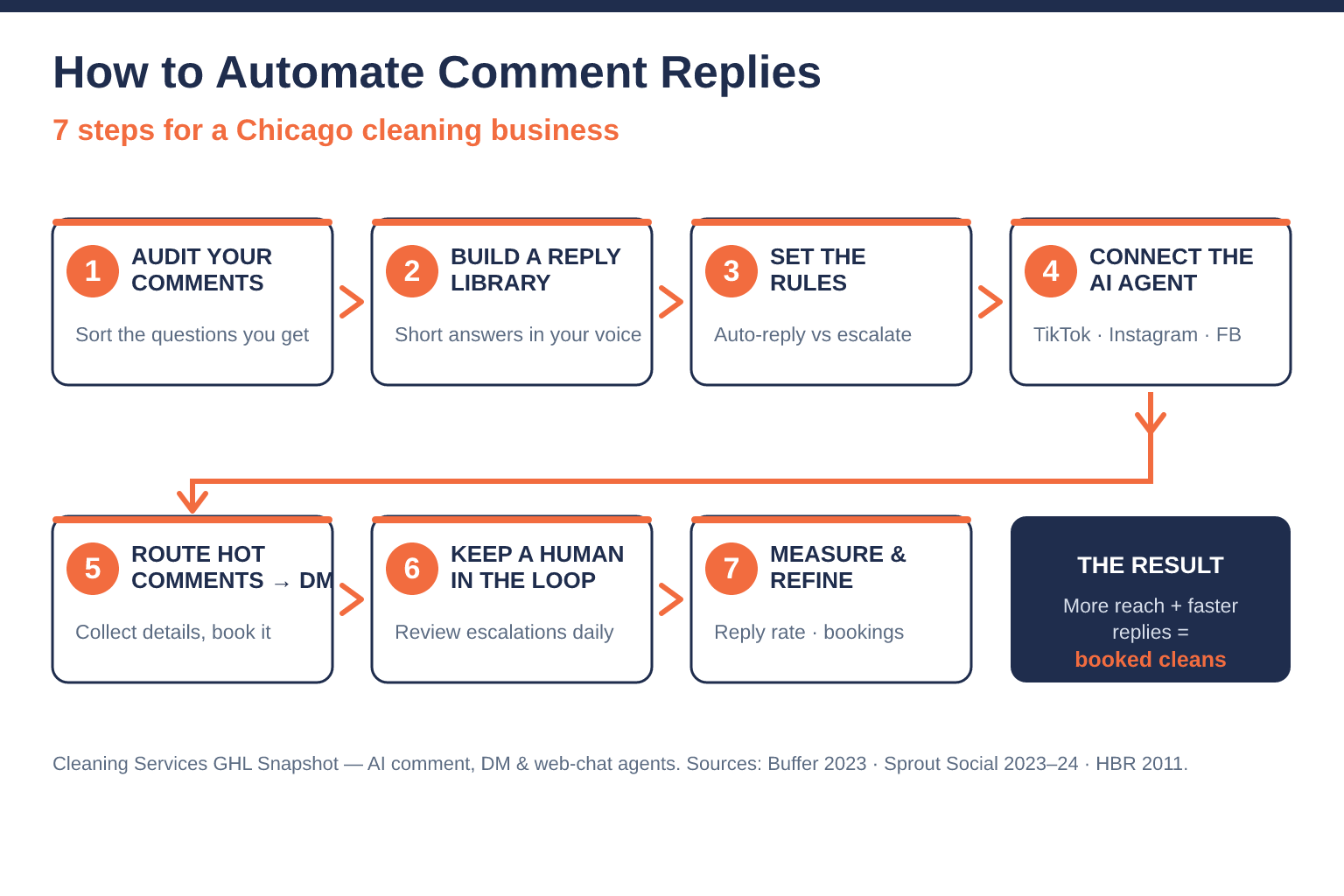
The 7-step playbook to automate comment replies
Here’s the process, start to finish. You can build it yourself in GoHighLevel or have it deployed for you — either way the sequence is the same.
Step 1 — Audit the comments you actually get
Spend 20 minutes scrolling your last two months of posts and bucket every comment. Cleaning businesses almost always land in five buckets: pricing (“how much for…”), service area (“do you cover Oak Park?”), availability (“any openings this week?”), scope (“do you do inside the fridge / windows / move-outs?”), and social proof / small talk (“looks amazing!”). You’re building the answer key for the agent, so write down the real questions in your customers’ words.
Step 2 — Write a short reply library in your brand voice
For each bucket, write two or three short, warm, on-brand replies — the way you’d actually text a neighbor. Keep pricing answers honest but open-ended (“Deep cleans for a 3-bed usually start around $X — want a quick quote? I’ll DM you 👋”). The goal is a reply that sounds like you and always ends by moving the person one step closer to booking. This library is what keeps automation from sounding robotic.
Step 3 — Set the rules: auto-reply vs escalate
Decide what the agent handles alone and what it hands to you. A good default: the agent auto-answers pricing ranges, service area, hours, and scope; it escalates anything with a complaint, a special-needs request, or a comment it isn’t confident about. Confidence thresholds and keyword triggers (like “refund,” “cancel,” “allergic”) should always route to a human.
Step 4 — Connect an AI comment agent to TikTok, Instagram & Facebook
This is the piece that makes it scale. An AI comment agent watches your posts across all three platforms and replies in seconds using your reply library and rules. Our done-for-you social media service ships exactly this — an AI comment agent for TikTok, Instagram, and Facebook comments — alongside the Facebook Messenger and Instagram DM agents that carry the conversation from public comment into a private booking. If you’d rather run everything from your website too, the same brain powers the AI web chat widget.
Step 5 — Route buying-intent comments into a DM that books
A public reply builds trust; the booking happens in the DM. When a comment shows intent (“how much,” “are you available,” “can you come Saturday”), the agent posts a friendly public reply and opens a direct message to collect the details you need — square footage, service type, address, preferred day — and drops the clean onto your calendar. That comment-to-DM-to-calendar handoff is where the reach turns into revenue. (For the private-message side of this, see our Miami cleaning DM automation playbook.)
Step 6 — Keep a human in the loop
Automation covers volume, not judgment. Set the agent so escalated comments ping you, review the escalation queue once a day, and spot-check the agent’s public replies for tone in the first week. You’re training it, and the reply library gets sharper every time you correct one.
Step 7 — Measure and refine
Track three numbers: reply rate (what share of comments got answered), median reply time, and booked cleans attributed to social. If reply rate is high but bookings are low, your reply copy isn’t moving people to DM — fix Step 2. If a bucket keeps escalating, add it to the library. This loop is what turns a comment section into a booking channel.
Comments handled manually vs automated
Questions sit for hours or overnight; you answer a few between jobs; buyers scroll to the next cleaner; posts stall because engagement is slow.
Every comment answered in seconds in your voice; hot leads pulled into a DM and booked; posts get pushed further because the thread stays active.
Do-it-yourself vs done-for-you
You can wire this yourself. GoHighLevel can host the reply logic, the DM flows, and the calendar, and if you’re technical you’ll get it working. The honest tradeoff is time: building the comment integrations across three platforms, writing the rules, and maintaining them as each app changes its API is a real project — and it competes with the actual cleaning that pays your bills.
That’s the case for done-for-you. Instead of you posting to nine channels and babysitting three comment feeds, a managed service creates the content, publishes it, and runs the comment, DM, and web-chat agents for you — a designer, editor, social manager, and community manager’s worth of work that would otherwise run $4K–$8K/month if you hired each role (see the full breakdown). For a Chicago cleaner competing in a metro of ~9.4 million people, “consistently online and instantly responsive” is the edge — and it’s hard to hold that edge by hand.
Staying compliant and keeping it human
Two guardrails keep automated replies from backfiring. First, disclosure and tone: replies should sound like your team, not a bot, and should never make promises you can’t keep (exact prices sight-unseen, guarantees). Keep pricing answers as ranges that lead to a quote. Second, the DM channel is where compliance lives: once you move a homeowner into a direct message and start texting, standard consent rules apply. If you’ll follow up by SMS, get clear opt-in and honor opt-outs — the same TCPA basics that govern any cleaning-business texting apply here. Automating the reply doesn’t remove your responsibility for what gets said; it just makes sure something gets said, fast.
How to measure whether it’s working
Give it 30 days, then look at the loop end to end. A healthy setup shows: reply rate above 90%, median reply time in minutes not hours, engagement climbing on the posts the agent works (the Buffer effect showing up in your own account), and a rising count of DMs and booked cleans that started as a comment. If reach is up but bookings aren’t, the leak is in your reply copy or your DM handoff — both fixable. The point of automating comments was never the comments; it was the online bookings and the recurring customers on the other side of them.
Frequently asked questions
How do you automate comment replies on TikTok, Instagram, and Facebook?
You connect an AI comment agent to your accounts, give it a short library of on-brand replies for the questions you actually get (pricing, service area, availability, scope), and set rules for what it answers automatically versus what it escalates to a human. The agent then watches your posts and replies in seconds, and routes buying-intent comments into a DM that collects details and books the clean. Our done-for-you social media service deploys this across all three platforms for you.
Won't automated replies sound like a robot and hurt my brand?
Only if you skip the reply-library step. The agent uses replies you write in your own voice, keeps answers short and warm, and escalates anything it isn't confident about (or anything with a complaint or special request) to a human. Spot-check the tone in the first week and it gets sharper. The alternative — leaving comments unanswered — is worse for your brand: 73% of consumers switch to a competitor after a non-response (Sprout Social).
Does replying to comments actually get my Chicago cleaning posts more reach?
Yes. Replying keeps a post's conversation active, which the ranking systems reward with wider distribution — Buffer found profiles that reply to comments saw about 21% higher engagement (Buffer), and Hootsuite's algorithm guide confirms replies extend how long a post stays active (Hootsuite). For a local cleaner, that extra reach lands on more homeowners in your service area.
Is automating comments different from automating DMs?
They're two halves of the same play. Comment automation handles the public reply that builds trust and feeds the algorithm; DM automation handles the private conversation that collects details and books the job. The best setups do both — a public reply, then an opened DM — so the comment-to-DM-to-calendar handoff happens automatically.
What does done-for-you social media with comment automation cost?
Our done-for-you social media service starts at $397/month and includes content across 9 channels plus AI agents for comments, DMs, and web chat — versus roughly $4K–$8K/month to hire a designer, editor, social manager, and community manager separately. See the plans and inclusions or book a walkthrough to see it run on a real account.
Related posts
- How to Automate Instagram & Facebook DMs for a Miami Cleaning Business
- Instagram Reels for Cleaning Businesses: A Phoenix Growth Playbook
- Why Charlotte Cleaning Companies Lose Leads After Hours — and the AI Chat Widget That Books Them
- Missed Call Text-Back for Cleaning Businesses
- Local SEO for Cleaning Businesses